Catalog Avatar Creator Guide: Try On Free, Codes and Robux
TL;DR: Try on anything for free, save the looks you like, and load other players' outfits with their share codes. The "codes" most people search for are outfit codes and item IDs, not free-item promo codes: the developer lists none.
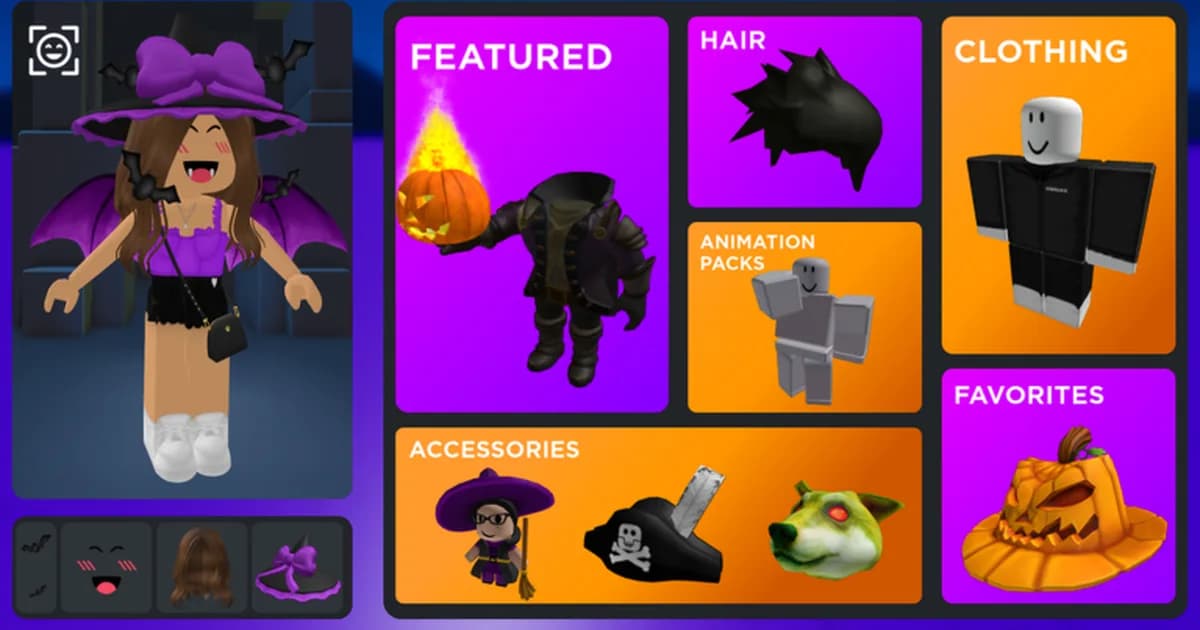
Trying things on costs nothing in Catalog Avatar Creator. Buying them costs Robux, and those purchases are real Roblox items with no easy refund. So the first decision is simple: treat it as a free fitting room, and only buy what you would buy anyway.
Checked Oct 24 from the developer's Roblox page, Roblox's store and badge data, and Roblox Help. Fan-site details are marked.
What parents need to know:
- Roblox labels Catalog Avatar Creator Minimal, with one descriptor: "Artificial Intelligence (Standalone)".
- Trying on is free. Buying puts real items in your child's Roblox inventory, and the store also sells tokens from 10 to 100,000 Robux.
- Roblox says "there is not a way to get Robux back once you have made a purchase". Roblox Help also says parents can "set monthly spending limits on their child's account".
Key Takeaways
- Free: trying on, saving looks and browsing over 50M+ community outfits, per the developer's description.
- Not free: catalog items, plus 15 store products from 10 to 100,000 Robux.
- Codes: outfit codes and item IDs load looks; no promo code is posted by the developer.
- Awards: Roblox's own posts list Best Use of Fashion (2023) and Best Fashion Experience (2024).
- Size: 8,167,691,578 visits and a group of 45,234,587 members on Oct 24.
Overview: what Catalog Avatar Creator is
It is a fitting room for the whole Roblox catalog. The developer's description puts it plainly: "Catalog Avatar Creator allows you to try on many different avatar/catalog items for free. This includes accessories, hats, limiteds, hair combos, bundles, animation packs and more!"
It came out on July 3, 2021, made by an independent developer. Servers hold 24 players. Roblox files it under Shopping, in a sub-genre called Avatar Shopping. When we read Roblox's data at 08:31 UTC on Oct 24, it had 51,925 players, 5,967,011 favorites and 93.7% thumbs up.
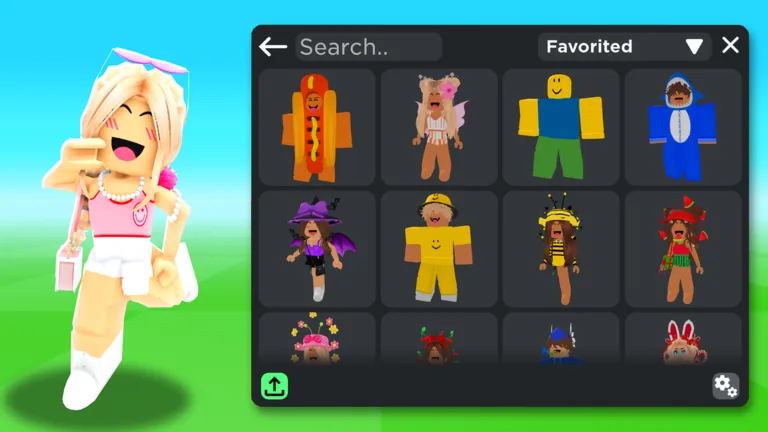 Image: Catalog Avatar Creator on Roblox (official thumbnail)
It is also steady. ObbyDesk's tracker has it between 13th and 17th on Roblox's Top Playing Now chart every day from Oct 10 to Oct 24. It peaked at 98,401 players on Oct 17 and was 13th on Oct 24. Our creative Roblox games for kids list ranks it first among games for designing looks.
Step-by-Step: using Catalog Avatar Creator
1. Pick a category and click an item. The official screenshots show the home menu: Featured, Hair, Clothing, Animation Packs, Accessories and Favorites. Catalog Avatar HQ, a fan guide site, says you "pick any item, and your mannequin wears it instantly". No purchase happens.
2. Use the item ID or link box. The catalog screens in the official thumbnails show an "Enter Item Id.." or "Enter Item Link.." box at the bottom. That is where a Roblox item number or link goes when you already know the item you want.
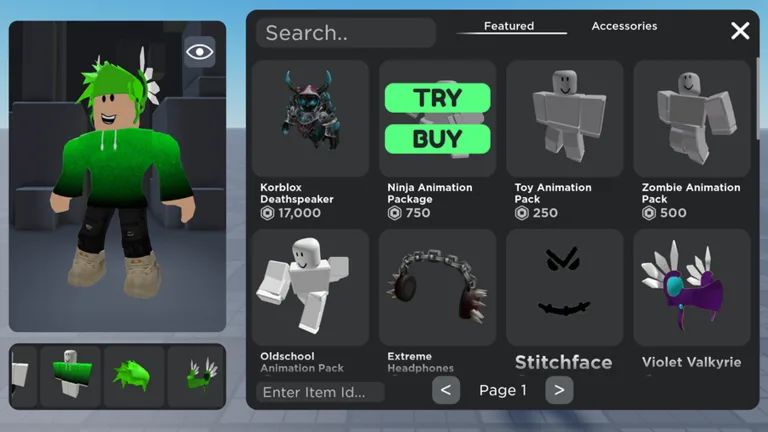 Image: Catalog Avatar Creator on Roblox (official thumbnail)
3. Watch the two buttons. Click an item and the screenshot shows two choices: TRY and BUY. Try is the free one. Buy spends Robux.
4. Save the look. The description says you can "save any avatars you have created in-experience". Catalog Avatar HQ says a saved look "lives in your in-game wardrobe, ready to wear again any time".
5. Load someone else's outfit. Per Catalog Avatar HQ, published outfits get a share code, "usually 6 characters, uppercase letters and digits". Open Community Outfits, type the code in the Outfit Code box and press Enter. Loading and previewing is free, but the outfit "may contain items that cost Robux". The detail page shows the total.
6. Publish your own. The same site says the flow is "Publish → name it → Generate → copy the code". Published community outfits are public.
Catalog Avatar Creator codes: what they really are
Search for these codes and you get three different things. Catalog Avatar HQ sorts them out: "outfit codes (share a whole look), item IDs (numeric Roblox asset numbers for one item), and /redeem codes (promotional rewards". The same site lists no /redeem code as active.
We checked the developer's channels on Oct 24. The game description has no code. The group description has none, and the group shout is empty. So we list no promo codes.
Desk note: an outfit code is free to load, but it is not a free outfit. One official screenshot prices a single item, Korblox Deathspeaker, at 17,000 Robux. Load first, then read the total.
The fan site adds a warning worth repeating. "Avatar Outfit Creator is a different experience with a confusingly similar name." Check the game name before you trust a code list.
GODEEPER: Fake code sites and "free Robux" pages are the oldest tricks on Roblox. Here is how to spot them. Roblox Scams: How Parents Spot Fake Codes and Report Them →
Analysis: what costs Robux in Catalog Avatar Creator
The game has no game passes. Roblox's store data lists 15 developer products instead:
| Product | Price (Robux) | What Roblox's listing says |
|---|---|---|
| Sponsor Tokens (1 to 1,000) | 100 to 100,000 | no description |
| Outfit Sponsor Tokens (1 to 1,000) | 10 to 10,000 | no description |
| Big Avatar Potion | 29 | "Makes your avatar HUGE! Purchase for one play session." |
| BONK! Hammer | 29 | "Purchase for one play session." |
| Customizable Text Sign | 29 | "Purchase for one play session." |
The token products have no description on Roblox, so we can't tell you what they do. The top one costs 100,000 Robux. That is a lot of hats.
Catalog items are the bigger spend. The developer says "All purchases made in-game will be available in your Roblox inventory & can be used in all games." That is the upside. The downside is in Roblox's help pages: "In general, we are not able to offer a refund for items purchased within an experience." Roblox also asks you to "use our Try On feature before completing your purchase", and this whole game is a try-on feature.
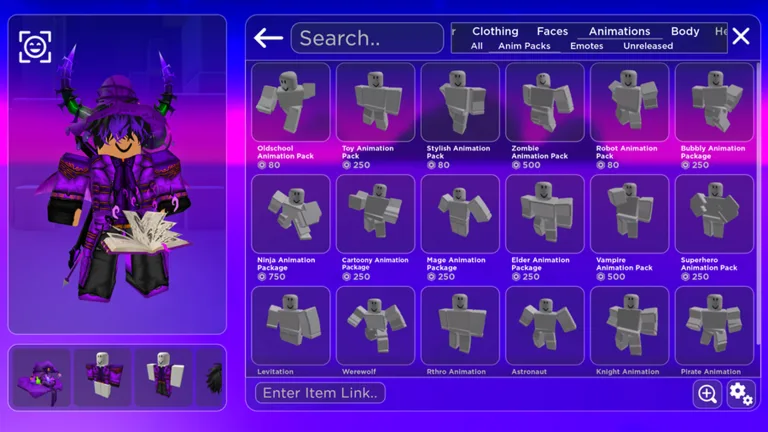 Image: Catalog Avatar Creator on Roblox (official thumbnail)
Desk note: Roblox's badge data shows 407,301,786 players with the welcome badge and 64,777,280 with "Avatar Customizer" ("You customised your avatar 100 times!"). That is 15.9%. About one visitor in six changes outfits a hundred times.
The AI button. Roblox lists one descriptor on the game, "Artificial Intelligence (Standalone)". Roblox's ratings page says "Games with AI interaction may contain chatbots." Players describe something different here. In an August thread, one wrote: "If you search for something that doesn't have any results a "make your own" button appears where you can generate these" (Reddit, Aug 7, 2026). The thread title says uploads cost 105 Robux; the developer's page does not confirm a price.
Players were split. "On the one hand it's kinda neat you can make an accessory just by describing it" (Reddit, Aug 8). Another was blunter: "the results are really bad tho, honestly not worth it, it doesn't even make what you tell it to do." (Reddit, Aug 8).
Tips for Catalog Avatar Creator
Build the whole outfit before you buy one piece. Hair, face, clothes and an animation pack can look great alone and odd together. Trying is free, so try all of it.
Use Favorites as a wish list. The menu has a Favorites tile, so you can come back to items without buying them today.
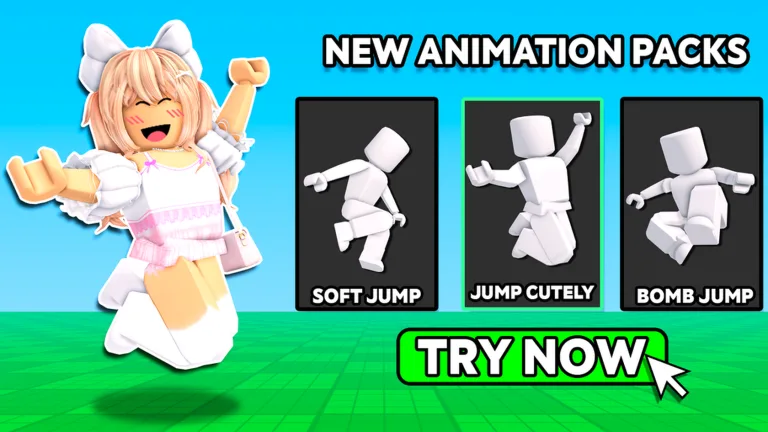 Image: Catalog Avatar Creator on Roblox (official thumbnail)
Check the outfit count claims calmly. The description says "over 50M+" community outfits. One of the game's own image captions, mirrored on PlayScout, still says "over 15M+". Either way, you will not run out.
Know the events. The game has no Halloween listing this year: its event listings are empty since June. Past ones included Avatar Makeup in April, which allows "up to 6 items total across the lips, eyes, and face". Some brand stores were limited by age; the Unicorn Academy store was "Available to users aged 13+ only."
GODEEPER: If your child also plays the fashion contest game, its Halloween update runs to Nov 7. Dress To Impress Halloween 2026: Out Oct 17, Ends Nov 7 →
Our take
Play it as a free fitting room, and save before you spend. Trying on, saving and loading outfit codes cost nothing, and 64,777,280 players have changed outfits at least 100 times. The catch is the BUY button and a token store that goes up to 100,000 Robux, with no refunds on in-experience items.
What we don't know yet: what Sponsor Tokens do (Roblox's listing gives no description), and what the AI accessory button costs, if anything.
For parents: set the monthly limit first, then let them play.
Our view, from the sources in this article.
How we checked this
We read Catalog Avatar Creator's game data, description, age label, event listings, store products, badges, group and eight official thumbnails from Roblox's public APIs on Oct 24, between 08:31 and 08:35 UTC, from our server because the mirror we normally use was rate-limited. Chart ranks come from ObbyDesk's own Top Playing Now readings. The award categories come from Roblox's own DevForum posts. Refund and spending-limit rules come from Roblox Help. How-to details for outfit codes and saving come from Catalog Avatar HQ, a fan site, and are marked. Reddit comments were read through the Arctic Shift archive. We did not play the game. All 36 sources are in our source file. Last reviewed October 24, 2026.
Frequently Asked Questions
Is it free? Yes to play and try on. Items cost Robux.
Are there promo codes? None on the developer's Roblox pages on Oct 24.
Where do outfit codes go? In the Outfit Code box in Community Outfits, per Catalog Avatar HQ.
Do purchases work in other games? Yes, per the developer: they go to your Roblox inventory.
What is the AI descriptor? Roblox's label for AI features; players describe an accessory generator.
Related Reading
- Roblox Games With Few In-Game Purchases: 8 Picks (2026): games where the store matters less, and why avatar shops are tricky to count.
- Roblox Parental Controls: Spending Limits, Chat, Screen Time: how to set the monthly spending limit.
- Roblox Games for Younger Kids: 11 Suitable for Everyone: more Minimal-label games, checked against Roblox's ratings.
References
- Catalog Avatar Creator on Roblox
- Catalog Avatar Creator group on Roblox
- Roblox Innovation Awards 2023 Highlights (Roblox DevForum)
- Roblox Innovation Awards 2024 Winners (Roblox DevForum)
- Roblox Support: Will I get my Robux back?
- Roblox Support: Monthly Spending Limits
- Roblox Support: Content Maturity Ratings
- Catalog Avatar HQ: How to play (fan site, unofficial)
- Catalog Avatar HQ: Outfit codes (fan site, unofficial)
- PlayScout: Catalog Avatar Creator (unofficial)
- Reddit r/roblox thread on AI accessories (Aug 7, 2026)
Keep reading
Tower of Hell Roblox Guide: Gears, Mutators and Halos
Game Guides · 7 min
Flee the Facility Guide: Beast, Computers, Pods and Rules
Game Guides · 9 min
Animal Hospital Roblox Guide: Patients, Anomalies and Sanity
Game Guides · 7 min
Illegal Soccer Roblox Guide: Controls, Items and Codes
Game Guides · 7 min
Evade Roblox Guide: Nextbots, Movement and Halloween Event
Game Guides · 7 min
Violence District Roblox Guide: Survivors, Killers and Tips
Game Guides · 7 min
The Strongest Battlegrounds Guide: Controls and Characters
Game Guides · 7 min
Murderers VS Sheriffs Duels Guide: Rounds, Knives and Guns
Game Guides · 6 min
About the author

The ObbyDesk desk
We read the update notes, check Roblox's own numbers, do the math and tell you what's worth your time. We don't play-test games for our articles, and when we can't confirm something, we say so.
Independent, no ads
ObbyDesk is not affiliated with, endorsed by or sponsored by Roblox Corporation or any game developer, and nobody pays for coverage. There are no ads and no affiliate links. Codes come only from the developer's own channels. We write with AI tools and match every fact to its source before it goes up. Prices, odds and event dates change with updates, so check the game itself before you spend Robux. More on our independence, how we check and how we use AI.